Split
When you pay for everyone, what friends pay you back comes off your spending.
Pay $90 for dinner. Once everyone pays you back, your spending is $30.


Log spending in seconds. No sign-up, no ads, and every entry stays on your phone.
You know what you earn.
Do you know what you spend?
Paying by card makes spending easy to lose track of. margin brings it back, one quick entry at a time.
Spent this month
$0.00
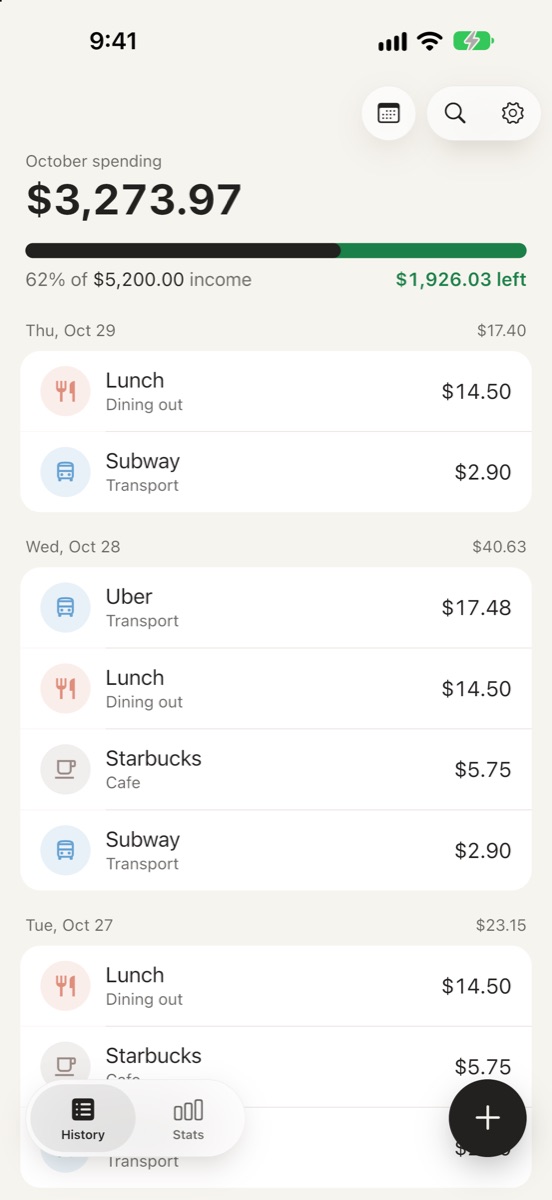
Every entry updates what you’ve spent this month. That’s the whole idea.
You only know what you spend if you write it down every time. Most people quit budgeting apps because that’s a chore. margin focuses on three things that make it easy to keep going.
If logging takes effort, you stop doing it. So an entry is one screen and a few taps.
Home Screen and Lock Screen widgets, and Control Center on iOS 18, open the entry screen in one tap.
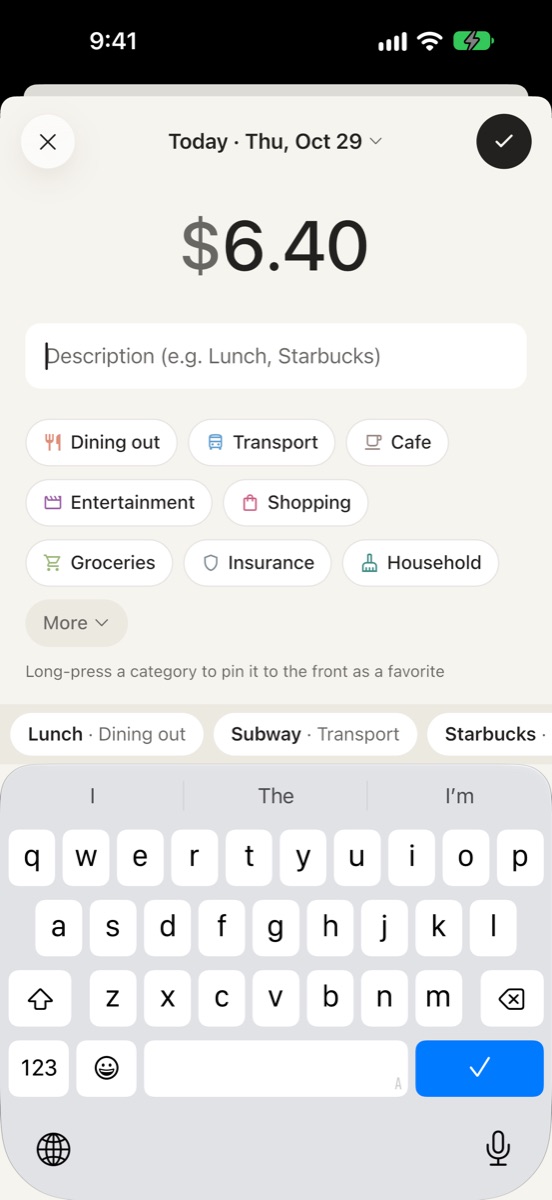
No account and no setup. The first and biggest number you see is what you’ve spent this month.
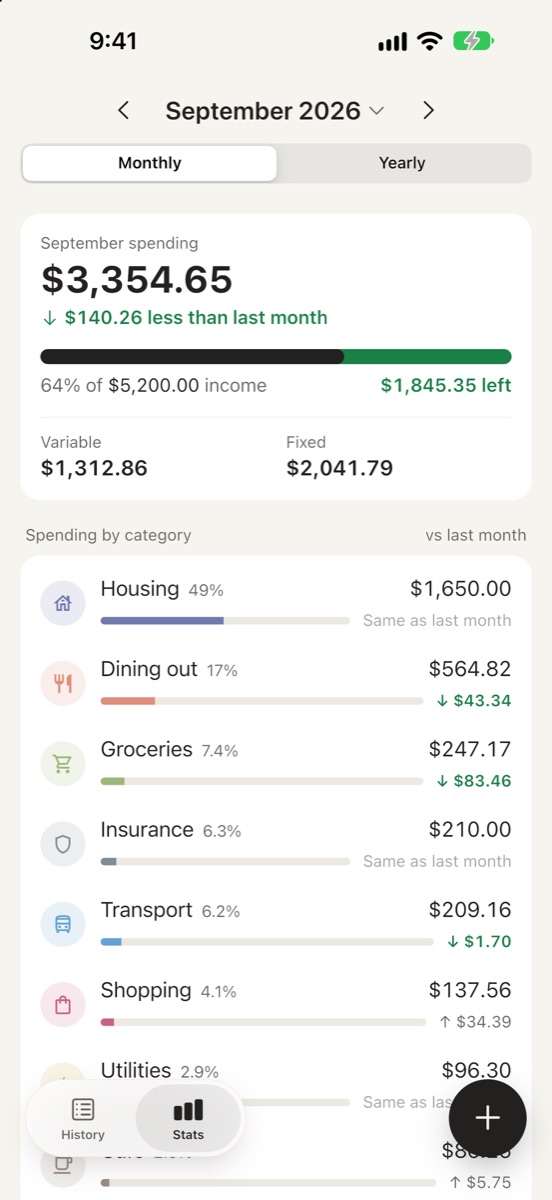
Want more? Stats by category, a yearly table, and search that understands “September” or “yesterday”.
Turn them on in Settings → Features → Add-ons. They start off, so the app stays as simple as you see above.
When you pay for everyone, what friends pay you back comes off your spending.
Pay $90 for dinner. Once everyone pays you back, your spending is $30.
Group expenses across categories, like a trip, and see their total.
See the whole trip in one total. Each expense still counts in its own category too.
All free. Turning one off never deletes your records, and they come back when you turn it on again.
You only see your real spending if you write down all of it, even the parts you’d rather not. So margin makes no network requests. No account, no ads, no analytics.
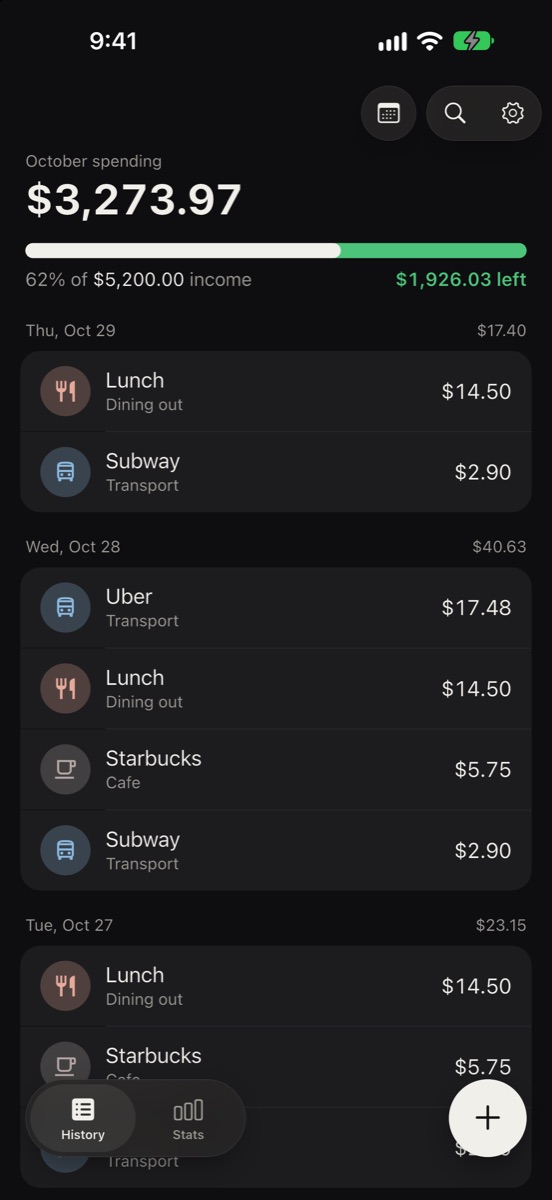
Every feature is free. No ads, no subscription.
Questions or ideas? Email us at
minjaegil05@gmail.com
Everything stays on your device. There is no server or account, so not even the developer can see it.
Yes. No ads, no paid features, no subscription. Add-ons like Split and Tags are free too.
Go to Settings → Features → Add-ons. They start off so the app stays simple, and turning one off never deletes your records.
You log what you paid, and every time a friend pays you back, that amount comes off your spending. It comes off the month you paid, so if you paid in September and got paid back in October, September’s spending goes down.
Use Settings → Export data to save a file, then Settings → Import data on the new device. If iCloud Backup is on, restoring a backup also brings it over.
Touch and hold your Home Screen or Lock Screen, tap Edit → Add Widget, and choose margin. Tapping it opens the entry screen right away.